Showing posts with label Linux. Show all posts

Sunday, September 30, 2018

Opuscula

The “wisdom”
Of Microsoft

I have an HP laptop with Windows 10.

Shortly I will have an HP laptop WITHOUT Windows 10.

In fact, it will be “Microsoft free.”

Why? Read on.

Because my computer is in a protected environment (now that the grandchildren have left) and no one uses it except this scrivener, I removed the log-on password – long ago.

This evening, when I went to log on to check email, MicroStupid demanded a password.

OK, MS – remember, the “S” is for “Stupid” – offered to help me reset the password that was not set.

How was MS going to do this?

It was going to send an email.

Brilliant.

I don’t have (nor do I want) a “smart” phone.

The ONLY way I can access my email is via this machine.

The term “Catch 22”1 comes to mind.

Fortunately my second born is a geek and equally fortunately he was on the phone as I tried to access the computer.

Could I start the machine in Safe Mode?

Doubtful.

Try pressing a specific Function key once every second until the system shows something.

I did.

After the HP logo –about as necessary as web feet on a crow – the MicroStupid background (that I once managed to bypass) displayed and, after a brief trip for a required break, I returned and found I could see the desktop.

    Yes, I did thank my son for his expertise.

What is the solution?

There are several options.

Throw out the HP and buy a Mac. My geek son loves his Macs.

    I used Macs at a couple of companies. Old Macs; single floppy Macs.

The problem with Macs is the cost. To my mind almost everything from Apple is over-priced, and if the Mac computers are anything like the Apple cell phones, they are updated frequently to enhance the company’s ROI.

    Two of my many complaints about Windows is that (a) it changes the UI with every iteration and (b) it obsoletes some really good applications while replacing them with garbage.

The other option, and one I prefer, is the Linux operating system. Ubuntu is Linux-based.

The Linux OS is – brace your self – F R E E.

It has a wealth (and variety) of applications, including several F R E E excellent replacements for MicroStupid’s Office.

    This blog is created using LibreOffice Writer. It does everything Word does, including reading Word files and saving in Word format as well as its native OpenOffice format. I’ve been using LibreOffice Writer for several months and, once past the initial learning curve – about the same as moving from one Word version to another – it has been most satisfactory; as good as, or better than, Word.

LibreOffice has been updated several times without changing the UI and without any additional cost to the still free OpenOffice software.

OpenOffice is mostly volunteers with a few salaried personnel. It “lives” on donations. OpenOffice is a worldwide cooperation among developers and users. Consider OpenOffice as one monster User Group. (Actually, there are several specific user groups, but I have yet to see any reluctance to share information. It reminds me of the early days of HTML.)

One often overlooked advantage of Linux is that because it has a relatively small user base, compared to MS or Mac, it is less a target of malicious code.

LibreOffice has just about everything MS Office has:
    Access = Base

    Excel = Calc

    PowerPoint = Impress

    Paint = Draw

    Word = Writer

LibreOffice also includes “Math,” an equations and formulas editor.

There is a line-by-line, in-depth feature comparison of LibreOffice and MS Office at
https://wiki.documentfoundation.org/Feature_Comparison:_LibreOffice_-_Microsoft_Office

What LibreOffice lacks – Outlook and Calculator, both of which are Windows applications (vs. MS Office applications) – can be made up by selecting from numerous Linux applications that do the same job.

    As an aside, LibreOffice has a version that can run on a Windows platform so potential users can try it on their Windows boxes. It uninstalls exactly as any other program running under MicroStupid’s operating system. LibreOffice also can share drive space (if it is available) with Windows’ OS.

I was a Microsoft fan since Word for DOS was introduced in 1983 via PC World magazine. I suffered through the expensive upgrades that complicated and redesigned the UI through Office 2007. Likewise, I moved along with Windows as it passed through the well thought out XP to Win 10, now on the “laptop.”

However, since MicroStupid’s last stunt – telling me I have a password when I don’t and then telling me to check my email that I cannot access for a code to change a non-existent password, I know it is time to cut the cord and move on to a grown-up's OS.


Sources

1. A catch-22 is a paradoxical situation from which an individual cannot escape because of contradictory rules. The term was coined by Joseph Heller, who used it in his 1961 novel Catch-22. See https://en.wikipedia.org/wiki/Catch-22_(logic)


PLAGIARISM is the act of appropriating the literary composition of another, or parts or passages of his writings, or the ideas or language of the same, and passing them off as the product of one’s own mind.

Truth is an absolute defense to defamation. Defamation is a false statement of fact. If the statement was accurate, then by definition it wasn’t defamatory.

Comments on MicroStupid

Tuesday, July 17, 2018

Opuscula

LibreOffice,
MS Office
Compared

IS THERE ANYTHING AS GOOD AS Microsoft Office?

Office has it all: word processor, spread sheet, data base, presentation application.

And they all work together.

What’s not to like?

IF YOU ASK ME, “What’s not to like” my answer is, in importance to me:

    Constant modifications of the Graphical User Interface (GUI or “gooey”)
    Cost of frequent “upgrades”
    Sometimes incompatibility between current and previous iterations
    Microsoft’s insistence on knowing everything about the user

I’ve been around computers for awhile. I’m no guru; I leave the geek stuff to my Second Born, but I well remember CP/M, Commodores, “Trash” 80s, and I’ve used applications running on CP/M, DOS, Unix, DEC Vax, HP-UX, Apple, Linux, Ubuntu, and of course, Microsoft. My first computer was a two-floppy CP/M all-in-one that included a green monitor and an Epson dot matrix printer.

ANYWAY, for the reasons above, I am migrating to LibreOffice. It may not have everything MS Office has, but it has what I need: word processor, spread sheet, data base, presentation application.

And they all work together.

Just like MS Office.

The actually work very similarly to MS Office. There ARE some differences in the UI (nee GUI) and somethings that work in MS Office may – as they did with me – force the user to seek help from a very active, and helpful, user group.

    I hand code HTML for Google blogs. Converting hard returns in MS Word is a search and replace operation:
    Find=^p
    Replace=^p</P><P>.

    Doing the same thing in LibreOffice is
    Find=$
    Replace=\n</P><P>;

    I needed user group help to manage this, but having done it several times, it is as natural for me now as the MS Office process was.

    Image capture with Win 10 Snipping Tool

    Does MS Office even have a user group?

I use the word processor daily.

I use the spread sheet frequently.

So far I’ve only played with the presentation software and looked briefly at the database application.

I miss not having a hard copy manual to reference, but even Microsoft stopped producing them.

I find LibreOffice’s online HELP to be more accurate than Microsoft’s HELP. Very often with Microsoft I’ll be instructed to click on something that is not in my copy of the software. Maybe it was in a previous sub-iteration, but it was dropped – for whatever reason – in the version running on my computer,

I’m still running MS Windows 10 as the Operating System (OS). I bought a copy of Linux on a thumb drive, but it was missing a critical component. I could have downloaded the Linux OS and done away with Windows, but my son’s the computer mavin, I’m just a user.

Windows and Linux/Ubuntu can co-exist on the same hard drive if it has the capacity.

MS Office works on a Windows OS and a Mac OS.

LibreOffice works on Windows, Mac, and Linux/Ubuntu OSs. It is the same across the board, save for Mac’s unique keyboard.

MS Office saves files in MS formats, RTF, and text. LibreOffice save files in its OpenOffice formats AND MS Office formats. It also opens MS Office files. MS Office opens only MS Office formats, RTF, and text files.

The price is the same on all platforms: $0. (Donations accepted to support/encourage development at https://www.libreoffice.org/donate/.)

My copy of LibreOffice has been updated several times. There is no change in the UI. I did not have to RESTART after an update. And, unlike MS updates, I was asked if I wanted to install the update and when I accepted the update, it was completed in a minute or two – unlike MS Windows updates that seem to take 30 minutes or more.

    I’ve been using MS Word since a 5 1/2-inch floppy was stapled into the November 1983 issue of PC World.1 Word then ran on MS-DOS and IBM’s PC-DOS. It was the first WYSIWYG word processor that did not require a proprietary platform (e.g., Xerox).

    Then a technical writer, Word was THE word processor of choice; writers could see italics, bold, underscore and evern super and sub script. Today, only simple text editors such as MS Notepad and Gedit, lack WYSIWYG displays.

But that was then and this is now.

    By the way, WYSIWYG is neither a MS or Apple invention. It first was implemented on a XeroxPARC computer. Turn the proprietary monitor on its side to see landscape format!

The only MS Office application I can’t seem to replace is Outlook. I tried several and none was satisfactory. Perhaps on a Linux/Ubuntu OS I’ll find something close to Outlook.

Bottom line: Yes, Virginia, there is – actually “are” – free alternatives to Microsoft Office. Likewise, there are free alternatives to Microsoft Windows (and Apple OSs).

Getting up to speed with LibreOffice is no more difficult than figuring out where Microsoft moved a favorite feature or function when in released its latest and, maybe, greatest upgrade.


Sources

1. https://en.wikipedia.org/wiki/Microsoft_Word#Origins

PLAGIARISM is the act of appropriating the literary composition of another, or parts or passages of his writings, or the ideas or language of the same, and passing them off as the product of one’s own mind.

Truth is an absolute defense to defamation. Defamation is a false statement of fact. If the statement was accurate, then by definition it wasn’t defamatory.

Comments on Office vs, Office

Monday, January 8, 2018

Opuscula

Microsoft and Win 10:
Arrogance on a field
Of Bovine excrement

I HAVE MICROSOFT’S WINDOWS 10 (WIN 10) running on two laptops.

My spouse has one; I have the other. I also have a Win 7 machine that the grand-daughter can use during her visits.

The grad-daughter plays with Word – she holds down a character key and watches it fill the screen. She also plays Solitaire. All this between occasional blue screens. (The Chinese computer is about 5 years old; well past it’s prime. It came with Win 7 installed.)

The Spouse, with a newer Chinese computer has so far managed to avoid blue screens.

So what is the Problem Du Jour with Win 10?

There are many, but the most aggravating is Microsoft’s shutting down Win 10 WITHOUT WARNING to install upgrades.

Yesterday she was reading her emails when, sans warning, the WeSaySo Corporation1 – a/k/a Microsoft – interrupted her reading and took over the computer for an hour.

No “we’re going to take over your computer in 10 minutes.” No “we’re about to install an update because …: nothing. Just boom and the screen went dark for a few seconds before Microsoft announced it was installing a update.

I foolishly thought that when a customer buys a product the customer should have some say in use and maintenance.

Imagine if Ford, Chevy, or Chrysler shut down your flivver as you travel over the speed limit on an interstate highway? There you go, whizzing along when, without warning, the vehicle comes to a screeching stop because the car needs an oil change. Explain THAT to the cops that come to investigate the 20-car pileup that started when the vehicle behind yours slammed into the rear of your transportation. (Just hope that vehicle slamming into yours isn’t an 18-wheeler or a cement mixer.)

This morning I was working on a project – Win 10, LibreOffice Writer (in preparation to move to the Linux Operating System (wonder why??) when, in the middle of a search and replace function, good ol’ WeSaySo Corporation takes over the system.

Imagine if this happened in a business with multiple computers – not at night, but in the middle of the business day.

Warning? Don’t be silly. This is Microsoft. It’s worse than the government (pick any government level). It’s worse that a financial institution.

FORTUNATELY, LibreOffice Writer (equivalent to Microsoft Office Word) managed to save almost all the work I had spent a couple of hours creating.

Knowing that WeSaySo Corporation would take it’s own sweet time to update MY system, I went for toast and coffee and some time in front of the tube watching horse opera reruns. When I returned the unasked for update(s) – who knows WHAT was installed; Microsoft isn’t telling – was almost finished.

HP – the company whose logo is on the newest Chinese laptop – at least

    (a) tells me it wants to install something
    (b) what the something will do for the machine, and
    (c) allows me to decide if I want the upgrade installed or not.

After all, I paid for the computers and that cost included a Microsoft Operating System.

(I understand computer maker Dell will install a non-Microsoft Operating System (Linux, Ubuntu, etc.) if a customer requests. Bravo for Dell. Maybe I’ll find a way to meet Dell’s prices for a new laptop when I need to replace the HP.)

At this point, I am ready to copy all my critical files to an external drive and install either Linux or Ubuntu, letting it wipe out the Microsoft Operating System and the Microsoft Office I purchased.

I confess I’ve been unhappy with WeSaySo Corporation for some time – primarily because it insists on changing the User Interface with each iteration of each product.

Now, with its unmitigated arrogance to take over the machine for which I paid, I’ve reached the end of the road with the Redmond giant. I’ve used Microsoft products for years, but there comes a time when there is no option but to cut the cord.

We already did that with Ma Bell, switching to Consumer Cellular for both mobile and landline (via a ZTE Wireless Home Phone Base2) talk, text, and data. (The only function I lack with Consumer Cellular is fax; I can get that on the rare occasion I need it at a FedEx or UPS store.)


Sources

1. WeSaySo Corp: http://tinyurl.com/yako7axw
2. ZTE: http://tinyurl.com/y8d723hl

PLAGIARISM is the act of appropriating the literary composition of another, or parts or passages of his writings, or the ideas or language of the same, and passing them off as the product of one’s own mind.

Comments on Microsoft chutzpah

Thursday, December 28, 2017

Opuscula

One more reason
To leave Microsoft

I JUST ACQUIRED A NEW computer, a Made-In-China HP 7z laptop. It came with Microsoft Windows 10 installed.

I don’t expect a long life from the laptop; sadly HP isn’t what it was when Carly Fiorina ran the company.

I DO expect the HP laptop will outlast Windows 10 (Win 10) since Microsoft’s heavy hand just cost it another customer.


I HAVE USED MS WORD since it came out as a single 5 1/4” floppy insert to a popular computer magazine. It was great. WYSIWYG – wizi-wig – a character string many readers are too young to recognize.

Then, with each iteration of Windows and Word – bundled into Microsoft Office – the user interface (UI) changed.

THAT was bad enough.

But now Microsoft – still thinking it is the only game in town and behaving like the madman of North Korea – decides that IT will determine what operating system (OS) and application updates I will install – never mind if I want the updates of not. See http://tinyurl.com/y762bc3u

In Win 7 on another machine, MS pushes out an update with a description of the update’s purpose and politely asks if I want to install it.

Not so with Win 10.

No description.

No option to reject the update. It can be delayed, but the computer’s owner and who also holds the MS license will be nagged until the unidentified “upgrade” is installed.

The MS support page1 is replete with horror stories of upgrades that have made the OS untenable.

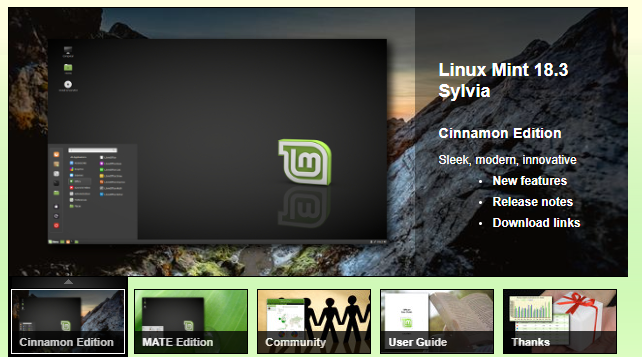
When I bought this latest computer I planned to split the 1 TB hard drive between Microsoft Win 10 and Linux Mint or, perhaps, Ubuntu’s latest and greatest.

There are a few applications that run under Windows that cannot function under OSs other than Windows.

ON THE OTHER HAND, there are other applications with the same form, fit, and function that DO function on other OSs. The most difficult one to find was one to support my security cameras. I found, after a little surfing, not one but two that work with Linux2/Ubuntu3.

Granted, I will miss my old favorites, but like old friends who have moved away, I’m sure there will be new favorites. (This blog entry is keyed using Libre Office’s Writer running under Win 10, the general equivalent to MS Office’s Word; in the end, it all gets dumped into the blog and turned into plain – albeit HTML coded – text.. Yes, Virginia, I hand code as I create.)


THERE WAS A TIME when using anything but shrink wrapped applications for either Microsoft or Macintosh OSs was the only way to go for a novice.

The novice that depended on Microsoft or Macintosh paid a price for this convenience; usually a high price.

Unix, DEC-VAX, and similar “professional” OSs were the domain of the computer specialists.

No longer.

Linux and Ubuntu are free and come with business bundles (such as Libre Office4).

The applications also are free – no cost. Libre Office, for example, has everything MS Office has. Different names. There may be some slightly different ways to accomplish something, but IMO, it is no worse than learning a new UI from Microsoft. Many of MS Office commands, e.g., Save (Ctrl-S), Bold (Ctrl-B), Undo (Ctrl-Z), are identical.

If intrigued with an OS other than Microsoft or Macintosh, usually a hard drive can be partitioned to support two (or more) OSs. Win 10 makes it particularly difficult to share a drive, but – with a little patience – it can be done. For all that, having a pro at hand, or even having a pro do the job, may be an option worth considering.

Many non-Microsoft and non-Macintosh OSs offer a way to try the OS without partitioning the hard drive. If you don't like it, nothing lost.


1. MS Support: https://answers.microsoft.com/en-us/insider/forum/insider_wintp-insider_update/how-to-disable-windows-updates-in-windows-10/c4c82c8c-c5eb-462b-ad56-bc27e1a6aa02?auth=1 – this is the same as the Tiny URL above.

2. Linux: https://linuxmint.com/

3. Ubuntu: https://www.ubuntu.com/

4. Libre Office: https://www.libreoffice.org/


PLAGIARISM is the act of appropriating the literary composition of another, or parts or passages of his writings, or the ideas or language of the same, and passing them off as the product of one’s own mind.

Comments on Bye-Bye Microsoft

Thursday, May 1, 2014

Opuscula

Microsoft vs. ??


An article titled Microsoft in double trouble after reports by gov’t, Israeli start-up tells readers to

(A) Abandon Internet Explorer (IE) V6 through V11 and

(B) Abandon Microsoft Office applications

It suggests that rather than use Office applications (e.g., Access, Excel, Outlook, PowerPoint, and Word), people who need a suite should look to the cloud.


IE ALTERNATIVES

According to the article, the US Computer Emergency Readiness Team (CERT), a division of the Department of Homeland Security (DHS), IE versions 6 through 11 contain a major vulnerability that could allow a remote user to execute arbitrary code on a vulnerable system.

The problem with dumping IE is that too many web pages are written specifically - and, I think, stupidly - for IE. Even though Microsoft insists on mucking about with the Graphical User Interface (GUI) with every new version, IE still has most of the bells and whistles most users think they want.

Cern contends that "By convincing a user to view a specially crafted HTML document (e.g., a web page or an HTML email message or attachment), an attacker may be able to execute arbitrary code. However, it added “we are currently unaware of a practical solution to this problem.
The simple a answer to the IE problem - at least for those who cannot or will not abandon IE, is to install software that checks requested web sights on the fly and both blocks and warns users that the desired site may be dangerous. Add some user common sense . . .

There are a number of very good software applications that can do the job; two I can recommend are AVG and Avast!. They "play together nicely" and can coexist on the same machine; unlike some better known applications that insist on exclusive access to the machine.

If replacing IE is an option, there are several worthwhile browsers available for free download: Mozilla Firefox and Google Chrome to name but two.


OFFICE ALTERNATIVES

I'll make my prejudice know up front: I don't like having applications - or data files - available only in/on/from a cloud.

There are a number of what I consider good reasons to look for cloudless skies.

    ONE: Internet connectivity is required. No internet, no applications and no retrieval of data files - word processing, spreadsheets, graphics, et al.

    TWO: No guarantee a commercial cloud will be there when you need it. Businesses - especially in the world of bits and bytes - come and go between blinks of an eye. The Apples, Microsofts, Googles, and a few others are exceptions to the rule.

    THREE: Some cloud apps have to be purchased.

There are numerous application suites that offer everything Microsoft Office offers and they are available for free. Gratis. Some even run on the free Ubuntu/Linux operating system. (Windows and Mac OS X are operating systems; an operating system is required to run applications.)

The free OpenOffice suite runs on Windows boxes, Mac machines, and GNU/Linux platforms. OpenOffice is able to import Microsoft Office files and files created in OpenOffice can be opened/edited in Microsoft Office applications. OpenOffice seems to have everything MS Office has.


EMAIL

If email is via a Microsoft Exchange server, there are few options, the main one being Thunderbird. Pegasus Mail won't connect to Exchange, but it is highly rated by Tech Republic as an app that will protect you from even the worst HTML-borne viruses and exploits. Both Thunderbird and Pegasus Mail are free.

The bottom line is that no one should feel wed to Microsoft products. There are alternatives. But if you are thinking cloud-based applications such as offered by Google and its Chrome machine are the answer, let me suggest that while the cloud might be OK for file backup (I still prefer an external hard drive), sans connectivity, the backup will be useless. No connectivity = no access to the cloud.